

Search engine optimization changes fast, and basic WordPress tweaks are no longer enough to rise above your competition. If you are stuck on page two or your traffic is fading, the usual tactics have hit their ceiling.
Google’s smarter systems now focus on user intent, helpful content, and real user experience-not keyword stuffing or a few links. To move up, you need advanced methods that go beyond the obvious and make a real difference in a busy search market.
WordPress is a flexible CMS, which makes it a solid base for these methods. Whether you run a small blog or a complex store powered by WooCommerce SEO, the platform lets you apply deep improvements.
This guide goes past generic advice and shows powerful WordPress SEO tactics many people skip, giving you a clear path to higher rankings, more organic traffic, and a stronger online presence. The goal is to move from “set it and forget it” to a steady, data-led SEO process.
Contents
- 1 What Sets Advanced WordPress SEO Techniques Apart?
- 2 Uncovering Hidden Technical SEO Opportunities in WordPress
- 3 Hidden Performance Tactics That Boost Rankings
- 4 Niche On-Page Optimization Tactics No One Talks About
- 5 Unique Content Optimization Techniques
- 6 Advanced Off-Page and Backlink Strategies for WordPress Sites
- 7 Scaling WordPress SEO with Automation and AI
- 8 Tracking the Impact: Measuring the Results of Advanced SEO Techniques
- 9 Key Takeaways for Staying Ahead with Advanced WordPress SEO
What Sets Advanced WordPress SEO Techniques Apart?
Advanced SEO in WordPress is about how people use your site, how search engines work, and how your tech setup supports both. It means going beyond surface fixes and looking closely at the parts that shape how Google reads and ranks your content.
While basic SEO might stop at a plugin and a few meta tags, advanced SEO asks for a plan and often some technical work.
What Is Considered Advanced SEO in WordPress?
Advanced SEO moves past turning on Yoast or Rank Math and calling it a day. It combines crawling, indexing, ranking, and real user experience into one plan.
Key elements include:
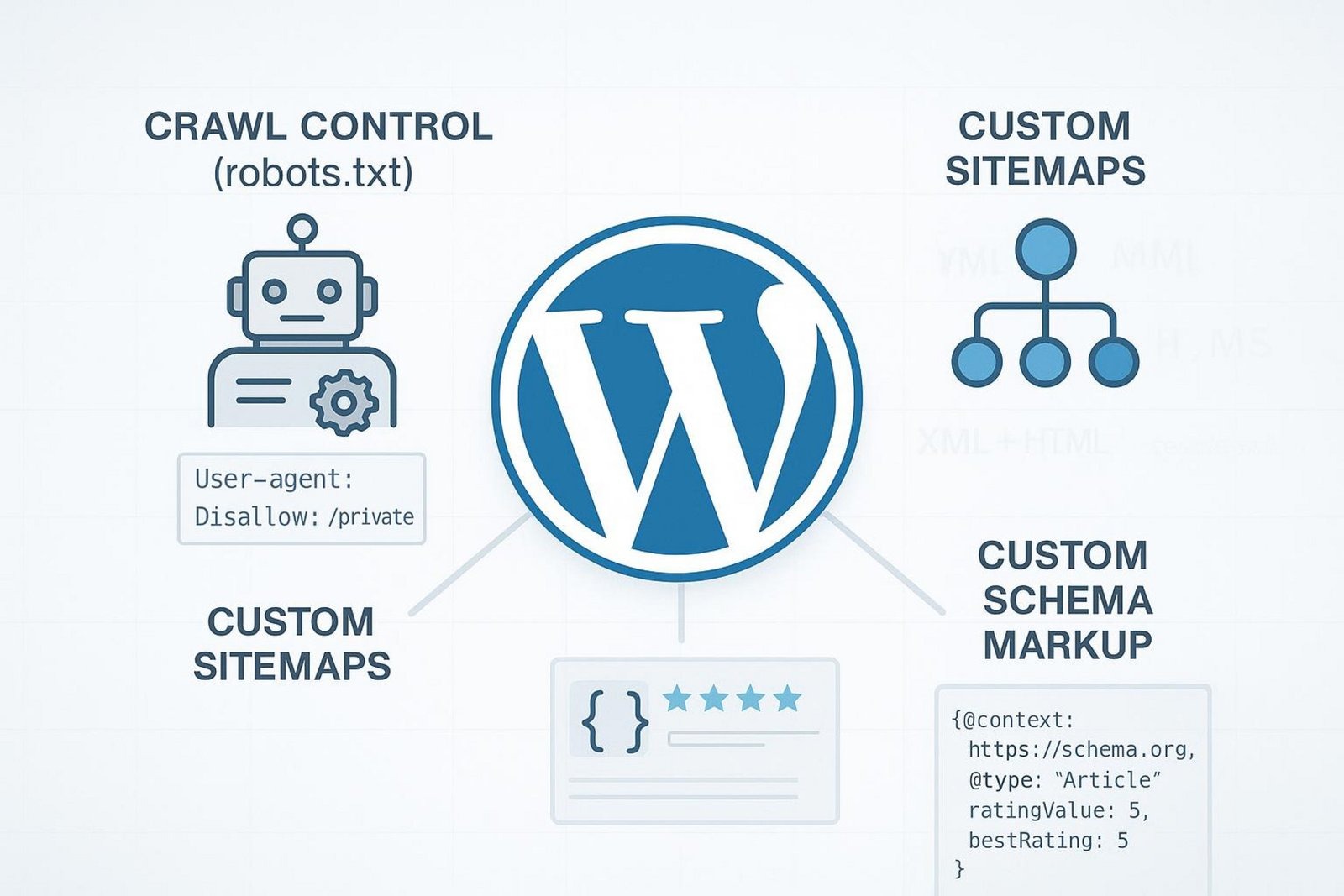
- Careful robots.txt rules to guide crawl budget
- Dynamic canonical tags to stop duplicate content
- Custom sitemaps that highlight key pages and skip weak ones
- Custom schema markup for richer search results
- Deeper analysis with pro tools and custom checks
Search is also shifting all the time. Google leans more on intent, and updates like Core Web Vitals put weight on speed and smooth interaction. Advanced SEO means staying ready for these shifts and shaping your content and user experience to match Google’s push for helpful, high-quality pages.
Common SEO Myths and Overlooked Realities
- Myth: Installing an SEO plugin means high rankings. Reality: Plugins are tools; your setup and ongoing work matter most.
- Myth: SEO is only about keywords. Reality: Google’s AI looks at intent, quality, and relevance.
- Overlooked: User experience impacts rankings. Poor mobile speed and layout issues hurt visibility.
- Overlooked: Social activity can help search visibility. Social posts can appear in results and drive demand.
- Myth: SEO is a one-time task. Reality: It needs regular checks, updates, and testing.
Uncovering Hidden Technical SEO Opportunities in WordPress
Technical SEO is like checking the engine of your site. WordPress gives you many places to tune things for better search performance. These jobs aren’t flashy, but they help search bots crawl, index, and understand your pages. Skipping them can create hidden roadblocks that hold you back.
Leveraging Robots.txt and .htaccess for Precise Crawl Control
Your robots.txt file tells bots where to go and what to skip. Plugins can generate it, but careful control can help focus crawl budget on the right areas. For example, block low-value sections or duplicates (e.g., Disallow: /login/, Disallow: /wp-admin/) so bots spend time on your best pages.
The .htaccess file on Apache servers adds deeper control. With care, you can set advanced redirects, security rules, HTTPS enforcement, and caching. You can also handle URL variants to cut down crawl noise. Cleaner bot access leads to better crawling and a clearer picture of your site in search.
Dynamic Canonicalization to Prevent Content Duplication
Duplicate content weakens rankings and confuses indexing. WordPress can create similar pages through categories, tags, and archives. Beyond setting canonicals in a plugin, use dynamic rules that add rel=”canonical” across patterns and content types.
This is key for stores with product options or filters that create many near-identical URLs. Point bots to the main version to keep link equity focused and ranking signals strong.
Fine-Tuning Your Sitemap Beyond Plugins
A default sitemap is a start, but a custom sitemap can guide bots better. Decide which pages belong and which do not. On big sites, split sitemaps by type or section, and drop weak or outdated pages. Teams like NON.agency often refine sitemap structures to ensure only high-value URLs are prioritized.
You might exclude certain archives or author pages that add little value. Then submit the refined sitemap in Search Console to help Google find the right content fast.
Custom Schema Markup Strategies for Rich Snippets
Schema markup helps Google understand context and can trigger rich results. Go beyond defaults and add schema that fits your content types: reviews, products, events, how-tos, FAQs, or local info. This can add stars, prices, dates, and more in the SERP, which can lift clicks and signal strong structure.
| Content Type | Helpful Schema | Possible SERP Boost |
| Products | Product, Offer, AggregateRating | Price, availability, ratings |
| Articles/Blogs | Article | Rich cards, better context |
| How-To | HowTo | Step-by-step display |
| FAQ | FAQPage | Expandable FAQs |
| Events | Event | Dates and locations |
Use Google’s Rich Results Test or Schema Markup Validator to check that your code is set up right.
Hidden Performance Tactics That Boost Rankings
Speed matters for users and rankings. With Core Web Vitals, slow and jumpy pages lose ground. Image compression and caching help, but deeper changes to how your site loads can shave off key milliseconds and move you ahead.
Optimizing Core Web Vitals with Headless WordPress Techniques
Core Web Vitals track load speed, input delay, and layout shift. A headless setup-using React, Vue, or Next.js on the front end with WordPress as a backend-can cut server time, reduce blocking files, and improve interaction. With direct control over rendering, you can also stop layout shifts.
| Metric | What It Measures | Target |
| Largest Contentful Paint (LCP) | Main content load speed | 2.5s or faster |
| First Input Delay (FID) | Response after first action | Under 100ms |
| Cumulative Layout Shift (CLS) | Visual stability | 0.1 or lower |
While setup is more complex, the payoff can be major gains across these metrics.
Controlling Third-Party Scripts for Speed and Privacy
Analytics, ads, and social widgets can slow pages. Do a careful script audit and control how they load:
- Defer or load non-critical scripts asynchronously
- Self-host common libraries when you can
- Use a tag manager to batch and time scripts
- Drop scripts that do not add real value
Better script control speeds up pages and reduces data leakage, which builds trust and helps performance scores.
Automatic Image CDN Management and Lazy Loading for SEO Benefit
Images are heavy. An image CDN can resize, compress, and serve files from nearby servers. Pair this with lazy loading so images load only when needed. Advanced setups adjust quality and size based on device and connection. Faster pages help Core Web Vitals and keep users engaged longer, which can lift rankings.
Niche On-Page Optimization Tactics No One Talks About
On-page work goes beyond keywords and meta descriptions. Small changes to structure, clarity, and meaning can help search engines fully understand your content and rank it higher.
Optimizing for Google Passage Ranking with Advanced Content Structuring
Google can rank a single section of a page for a narrow query. Build clear, self-contained sections with strong subheadings and short paragraphs. Use lists and quick summaries inside sections. Treat each part like a mini-article that answers one question well. This careful layout helps Google find and rank the right passage.
Segmenting Content for Enhanced User Experience and Dwell Time
Walls of text push readers away. Break long posts into smaller chunks. Use accordions, tabs, or jump links so people can skip to what they need. Add visuals and simple calls to action inside sections. Better readability lowers bounce rates and keeps visitors on the page longer.
Using Custom Taxonomies to Target Semantic Search
Default categories and tags are helpful, but custom taxonomies can match your niche more closely. A food blog might add “Cuisine Type,” “Dietary Restrictions,” or “Cooking Method.” These focused groups form tight topic clusters and clear archive pages for long-tail queries. This builds topic strength and clearer content relationships.
Maximizing Topic Clusters with Internal Linking Automation
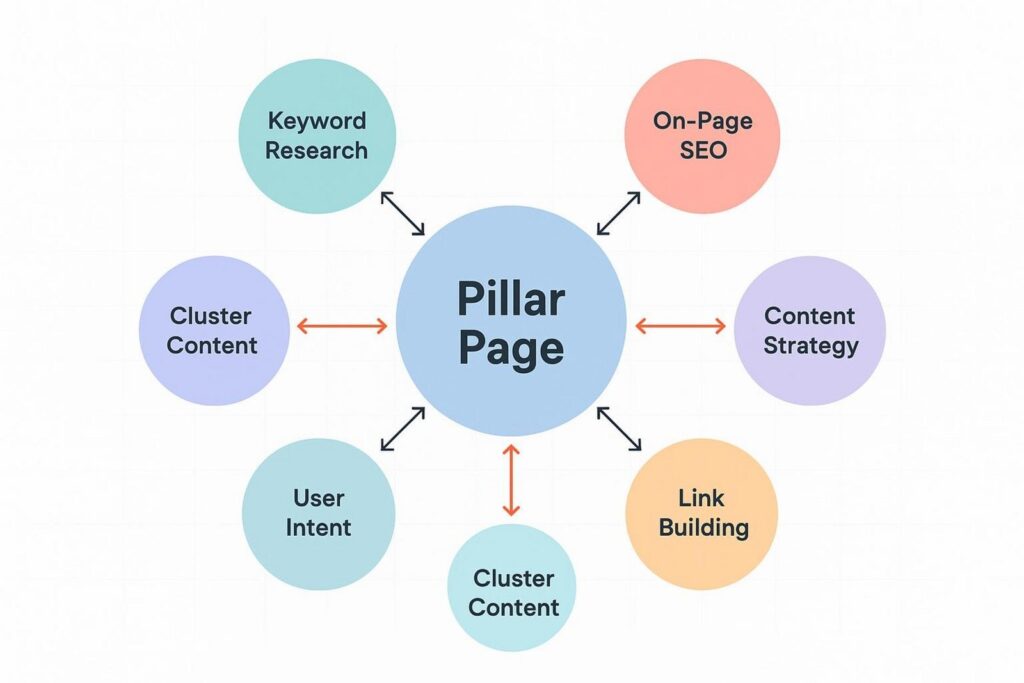
Topic clusters center on a pillar page with many related posts. At scale, use plugins or scripts that suggest or insert internal links based on content and keywords. This spreads link equity across the cluster, helps bots find related pages, and guides users through a logical path that can lead to more conversions.
Unique Content Optimization Techniques
Great content stands out when you find gaps others miss and present info in ways Google and users value.
Targeting Low-Competition Keywords from Reddit and Niche Forums
Keyword tools miss many real questions people ask. Scan Reddit, Quora, and niche forums. Look for exact phrases, common problems, and terms your audience uses. Then write focused, well-structured posts that answer those questions clearly. These topics often rank with less effort and bring motivated visitors.
Deploying Content Hubs and Programmatic Pages Without Duplicate Content
Content hubs work like small knowledge centers on a topic. If you build programmatic pages from a template, plan so each page is unique. Add distinct data points, adjust copy, and apply dynamic canonical tags when variants exist. This lets you scale without thin or duplicate pages dragging you down.
Tracking and Preventing Keyword Cannibalization with Custom Queries
When multiple pages target the same terms, they compete with each other. Use Search Console to see which pages rank for similar queries. If two posts cover the same intent, merge them and set a 301 redirect. If intent differs, sharpen each page for its own query. Keep watch over time so each URL has a clear purpose.
Strategies for Featured Snippets and Google Discover
To win featured snippets, give short, direct answers near the top of your content. Use definitions, steps, or tables under clear headings. For Discover, publish timely topics with original, high-quality images (large og:image), and content that earns social engagement. Track what performs well and adjust your plan.
Advanced Off-Page and Backlink Strategies for WordPress Sites
Links still move the needle, but blasting generic outreach emails is weak. Focus on methods that create real value and attract links from strong sites.
Engineering Unlinked Brand Mentions into Powerful Links
Many sites may mention your brand without linking. Monitor mentions with tools like Google Alerts, Ahrefs Alerts, or Mention. Reach out kindly and ask for a link to your site. Since they already mentioned you, the success rate is often high and the links are strong.
Harnessing Podcast and Video Embeds for Diversified Backlinks
Guest spots on podcasts and video interviews often come with links in show notes or descriptions. Pitch hosts in your niche with topics you can speak on. Compared to guest posts, the workload is often lighter, and many shows have strong domains that pass solid value.
Repurposing and Syndicating Content Without Cannibalization Risks
Stretch your best articles across formats: infographics, videos, slide decks, social clips, and guest content. For syndication, ask partners to add a canonical link back to your original post. For repurposed formats, link back where it makes sense. This widens reach, brings new audiences, and builds a varied link profile without duplicate content problems.
Scaling WordPress SEO with Automation and AI
Advanced SEO involves many moving parts. Automation and AI can speed up checks, workflows, and decisions. Use them as helpers; human judgment still guides the plan and the fixes.
Using AI to Detect and Fix Technical SEO Issues
AI-driven tools can scan your site for broken links, meta errors, crawl waste, duplicate content, and more. Tools like Screaming Frog with custom settings can run regular audits. The smart move is to rank issues by likely impact on users and rankings, then fix what matters first. AI flags the problems, and a skilled SEO turns that into actions.
Automated Content Audits and Optimization Workflows
Content audits take time. AI can review quality, spot outdated info, find keyword gaps, and suggest readability improvements. Set workflows that flag pages with falling traffic or rankings, highlight possible cannibalization, and suggest posts ready for updates. This keeps content fresh and useful without constant manual checks.
Leveraging Data-Driven Decision Making for Content Updates
Guesswork wastes effort. Pull data from Google Analytics, Search Console, and SEO tools to find gaps, queries with high impressions but low CTR, and pages with the best upgrade potential. Update titles and descriptions, add missing sections, or create new posts that fill gaps. Let data guide what you improve and when.
Tracking the Impact: Measuring the Results of Advanced SEO Techniques
Rolling out advanced tactics is half the job. The other half is measuring what changed and by how much. Go beyond surface stats and build reports that tie work to results.
Using Google Analytics and Search Console for Micro-Metrics
Track more than visits and clicks. In Google Analytics, watch scroll depth, time on key sections, events for tabs and accordions, and small conversions like email sign-ups. In Search Console, watch ranking shifts, crawl issues, query-level CTR, and page-level Core Web Vitals. Combine both views to see how users behave and how Google responds.
Custom Rank Tracking Beyond Standard Plugins
Basic rank checks miss the full picture. Track a wide set of long-tail terms, topic clusters, and competitor keywords. Use tools with daily updates, geo filters, and SERP feature tracking (snippets, People Also Ask, etc.). Map performance to content groups or taxonomies to see which sections lift rankings and where to improve next.
Key Takeaways for Staying Ahead with Advanced WordPress SEO
Advanced SEO is ongoing. Keep learning, adjust early, and apply changes step by step. Build a strong site that can handle updates and growing user needs.
Practical Steps to Begin Implementing Unconventional Tactics
Getting started can feel hard, so break it into phases. Run a thorough technical audit covering crawl budget, canonical tags, and Core Web Vitals. If speed is a bottleneck, test a headless setup for key pages.
At the same time, use AI tools to find low-competition topics from forums and plan clear section structures that fit passage ranking and featured snippets. Add dynamic canonical rules for tricky URLs and manage third-party scripts with care. Make small improvements, measure impact, repeat. Focus on one or two advanced tactics at a time and let the data guide your next move.
Emerging Trends and What to Watch in SEO for WordPress
AI in search favors helpful, expert content that solves real problems. Voice search will grow, so write natural, question-based answers. Generative AI in results will lean on reliable sources, so show authority and trust. Privacy rules will push sites to reduce tracking and tighten security. User experience will carry even more weight: fast pages, smooth interaction, and personal touches will become basic expectations. Stay current and adjust early to keep your WordPress site ahead.